


Xsortex HUB
Raspberry Pi Pico RP2040 Microcontroller Board - Dual-Core133MHz
Raspberry Pi Pico RP2040 Microcontroller Board - Dual-Core133MHz
Couldn't load pickup availability
- Technical Support 24/7
- Same Day or 1-Day Shipping near Navi Mumbai
- Free shipping on Orders Above Rs 300/-
 Cash on Delivery available
- Original Product guarantee
- 7-Day Easy Return/Exchange

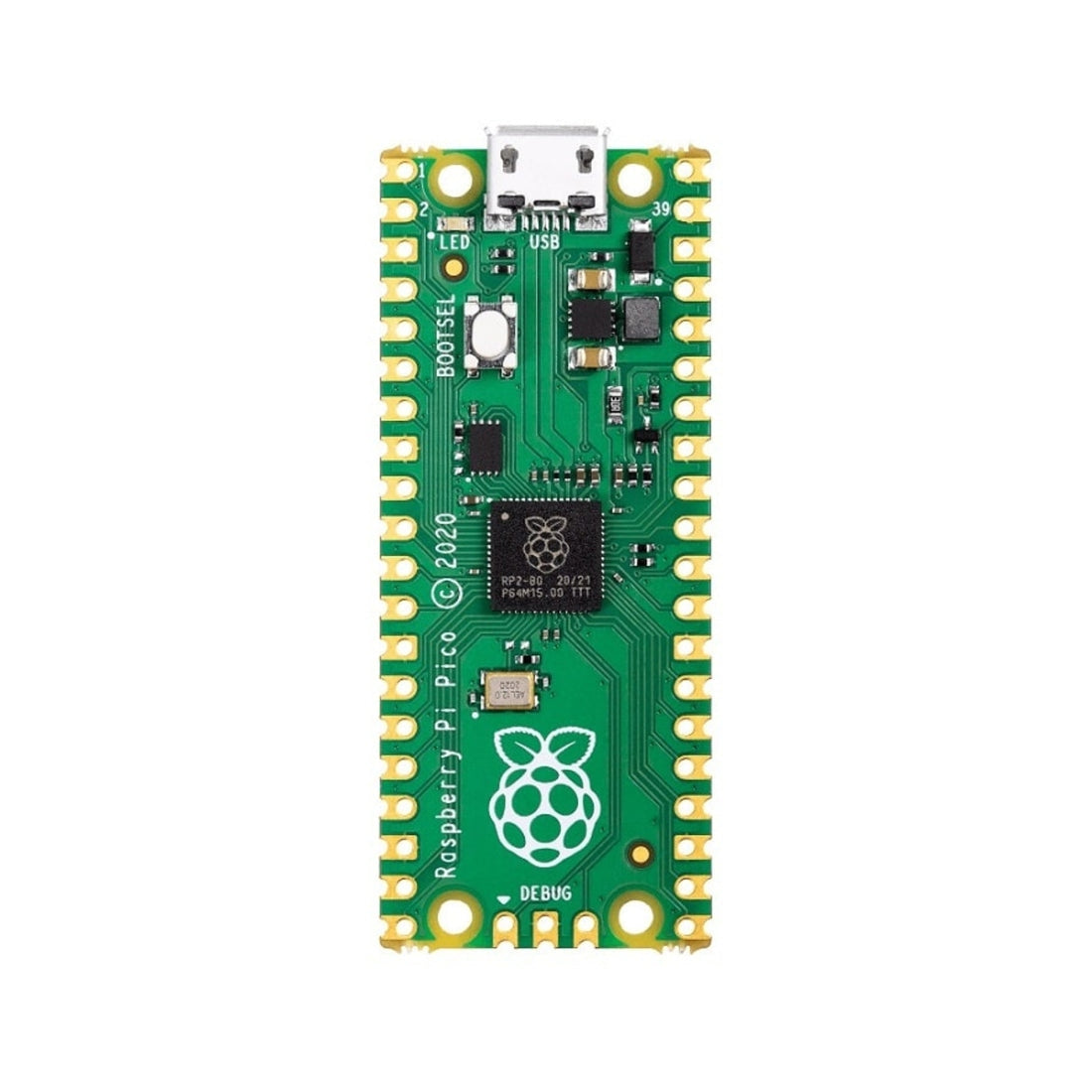
The Raspberry Pi Pico RP2040 is a compact yet exceptionally powerful microcontroller board — Raspberry Pi's own silicon, built for engineers, makers, and students who need serious performance in a breadboard-friendly form factor. With a dual-core ARM Cortex-M0+ processor running up to 133MHz, 264KB of SRAM, 2MB of onboard flash, and 26 GPIO pins, the Pico is one of the most capable budget microcontrollers available in India today. Buy now from Xsortex HUB with fast delivery across India.
Why Choose Raspberry Pi Pico?
- RP2040 chip — Raspberry Pi Foundation's own custom silicon with dual-core ARM Cortex-M0+ up to 133MHz
- 2MB onboard flash + 264KB SRAM — significantly more memory than standard Arduino boards
- 26 GPIO pins: 2× SPI, 2× I2C, 2× UART, 16× PWM, 3× ADC (12-bit) — extensive peripheral support
- MicroPython and C/C++ support — program in Python (Thonny IDE) or low-level C/C++
- Drag-and-drop USB programming — no drivers needed, just hold the BOOTSEL button and drop the UF2 file
- Low power: 1.8V–5.5V input with onboard buck-boost regulator — battery-friendly
- 8 × PIO (Programmable I/O) state machines — offload bit-banging tasks like NeoPixel, DShot, encoder reading to hardware
Best For:
- Real-time control systems — motor drivers, robotics, drone flight controllers
- Embedded ML (TinyML) — Pico is supported by TensorFlow Lite for Microcontrollers
- MicroPython learning — perfect first board for learning Python on hardware
- High-speed sensor data acquisition — 133MHz clock handles demanding sensor loops
- Battery-powered IoT nodes — low quiescent current regulator for long battery life
Technical Specifications:
- Chip: Raspberry Pi RP2040 (Dual-core ARM Cortex-M0+, up to 133MHz)
- RAM: 264KB SRAM
- Flash: 2MB onboard QSPI flash
- GPIO: 26 pins (2× SPI, 2× I2C, 2× UART, 16× PWM, 3× ADC)
- Power: 1.8V–5.5V input, onboard buck-boost regulator (3.3V output)
- USB: Micro USB-B (1.1)
- Programming: Drag-and-drop UF2, MicroPython (Thonny), C/C++ SDK, Arduino IDE
- Debug: 3-pin SWD (Serial Wire Debug)
- Dimensions: 51mm × 21mm
Buy the Raspberry Pi Pico RP2040 online from Xsortex HUB — available in India with fast delivery.
Frequently Asked Questions
How do I upload code to the Pico?
Hold the BOOTSEL button while plugging it into USB, and it appears as a flash drive on your computer. Drag and drop a UF2 file and the board reboots running your program. No drivers or programmers are needed.
What is the difference between the Pico and the Pico W?
This is the standard Pico without wireless. The Pico W uses the same RP2040 chip but adds Wi-Fi and Bluetooth. Choose this one for wired projects and the Pico W when your build needs internet connectivity.
Can I program it with Python?
Yes. Flash the free MicroPython UF2, open the Thonny editor, and write Python directly on the board. It also supports the official C/C++ SDK, CircuitPython and the Arduino IDE.
How do I power it without a computer?
Feed 1.8V to 5.5V into the VSYS pin and the onboard buck-boost regulator supplies a stable 3.3V. This makes it easy to run from batteries, USB power banks or a bench supply.
- Choosing a selection results in a full page refresh.
- Opens in a new window.